Carry Pak Club in your pocket

Pak Club App Download – Android APK and iPhone Install Guide

A 25 MB Android APK or a 30-second iPhone home-screen pin. Either way you get push alerts the instant a PSL match goes live, fingerprint or Face ID login, and a lobby that opens before your data finishes loading. The cricket exchange, Aviator, Teen Patti and live casino — exactly the same as the website, only faster on your phone.

Download the official Pak Club Android app — Pakistan gaming APK for live cricket exchange, Aviator, Teen Patti, slots and live casino on your phone

Will the app run on my phone?

Almost certainly yes. The Pak Club app is built to work on the kind of phones most Pakistani players actually own — including PKR 25,000 budget Androids running Android 8 from 2018. The numbers below are the absolute floor; anything newer feels noticeably snappier.

RequirementAndroidiPhone / iPad
Operating systemAndroid 8.0 or higheriOS 14 or higher
RAM2 GB minimum2 GB minimum
Free storage~25 MB for the APK~5 MB for the home-screen icon
Connection3G works, 4G recommended4G or Wi-Fi
CostFreeFree

Live casino streaming is the only feature that genuinely needs 4G — the dealer feed is HD video, so 3G can stutter. Cricket markets, Aviator, Teen Patti and slots all work fine on 3G or shaky Wi-Fi. The app caches the lobby so you can browse games even when the connection drops out completely.

How to install the Pak Club Android APK

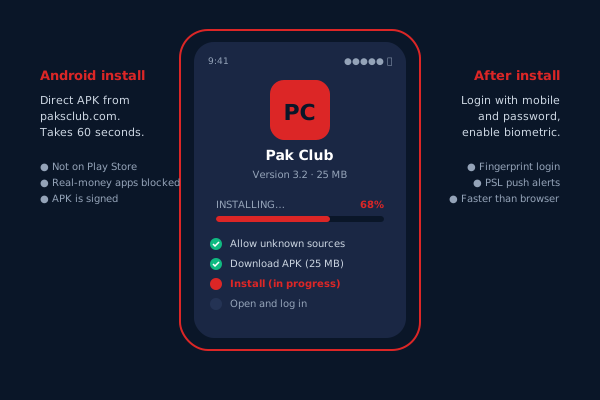
Pak Club is not on the Google Play Store — Google blanket-bans real-money gaming apps in many regions, so we ship the APK directly. The install takes 60 seconds and you only do it once.

Step 1 — allow installs from your browser

Open Settings on your phone. Search for "install unknown apps" or scroll to Security → Install unknown apps. Pick whichever browser you use (usually Chrome) and toggle it on. If you are on Samsung One UI, the toggle is under Biometrics and Security. The exact path varies by phone — the search bar at the top of Settings usually finds the right screen in one tap.

Step 2 — download the APK

Open Chrome, type paksclub.com, scroll to the Android download button on this page or the homepage, and tap. The 25 MB file lands in your Downloads folder. Chrome flashes a "this type of file can harm your device" warning — that is generic to every APK ever made and Chrome shows it for the Disney Plus APK too. Tap "Download anyway."

Step 3 — install it

Once the download is done, swipe the notification or open Files → Downloads and tap the APK. The Android installer asks for confirmation. Tap "Install" and wait 10–20 seconds. When it finishes you can open the app straight from the installer screen, or find it in your app drawer next to the other apps.

Step 4 — log in (or sign up)

Tap Pak Club. Log in with your existing details, or register from inside the app — it is the same flow. After your first successful login, switch on biometric login from Settings → Security so you never have to type the password again.

If your antivirus blocks the install, that is the antivirus being overly cautious about side-loaded APKs. Whitelist the file or pause the antivirus during install. The APK is signed by Pak Club; you can verify the signature in any APK-info app.

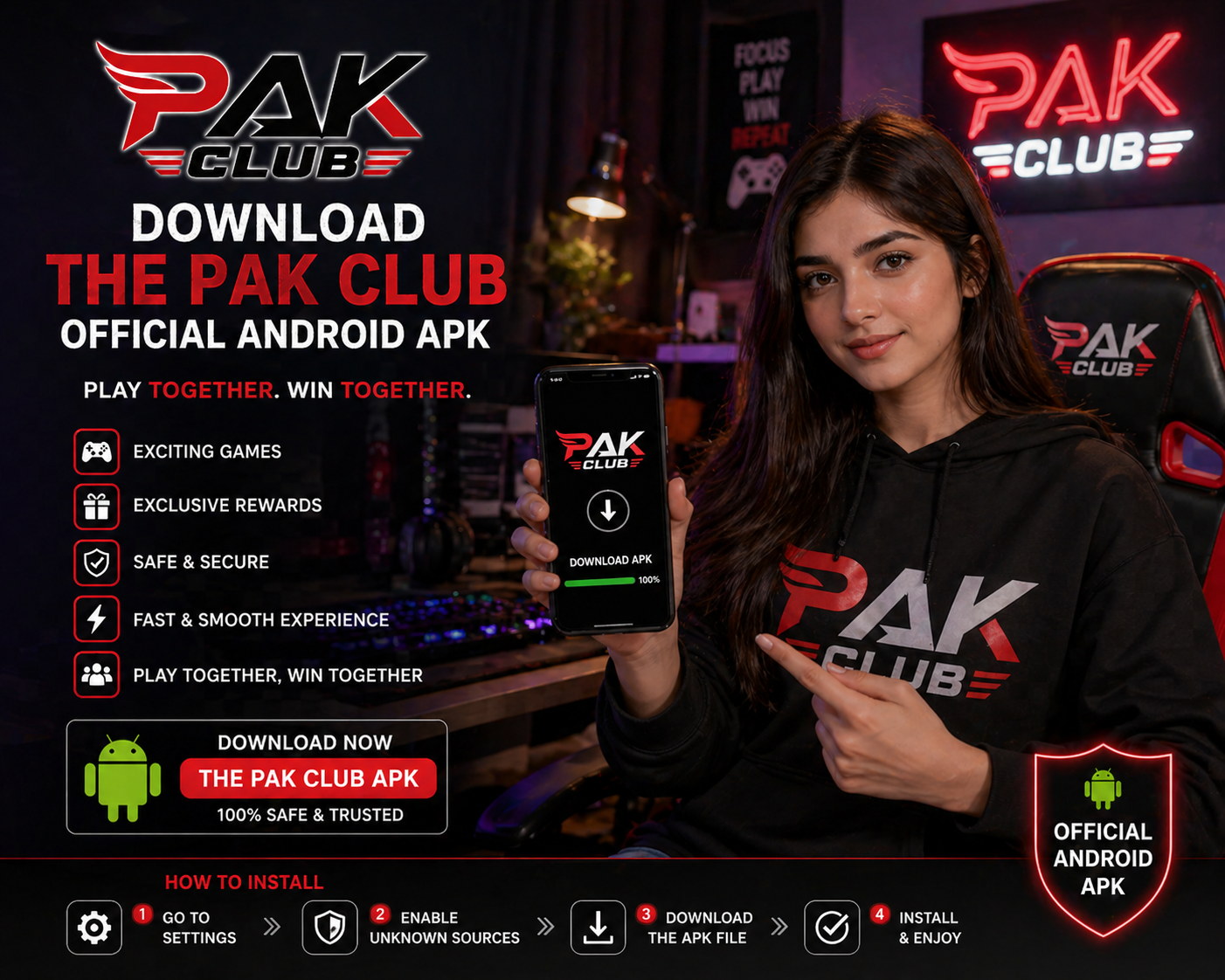
Pak Club Android APK install screen with progress bar
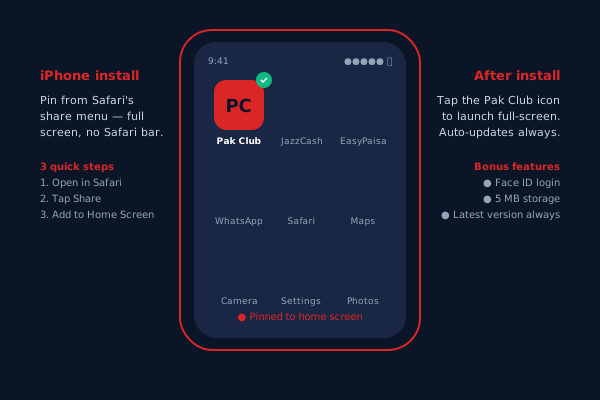
Pak Club running full-screen on an iPhone after being added to the home screen

iPhone setup — pin Pak Club to your home screen

Apple does not allow real-money gaming apps for the Pakistani region on the App Store, so iPhone users get the next best thing: a full-screen web app pinned to the home screen. It looks like an app, behaves like an app, supports Face ID, and the install takes 30 seconds.

Step 1 — open Safari

This trick only works in Safari, not Chrome or Firefox on iPhone. Open Safari and go to paksclub.com. Wait for the page to fully load.

Step 2 — Add to Home Screen

Tap the Share button at the bottom of Safari (the square with an arrow pointing up). Scroll down in the share sheet and tap "Add to Home Screen." You can rename the icon if you want — the default is "Pak Club." Tap "Add" in the top right.

Step 3 — open from your home screen

Find the new Pak Club icon on your home screen and tap it. Safari opens the site in full-screen mode — no browser address bar, no tabs, just the lobby. Face ID login is supported on every iPhone with the feature; turn it on after your first login.

The web app updates automatically — you always get the latest version of Pak Club on every launch, no manual updates ever. If you ever want to remove it, long-press the icon and tap "Remove from Home Screen" the same way you remove any other app.

For genuine native iOS access, Pak Club distributes a TestFlight build to verified VIP players. Get in touch with support if your wallet activity qualifies you for the TestFlight programme. For Trust/Developer settings on iOS, use the help built into your iPhone's Settings app under General → VPN & Device Management.

What the app does that the website cannot

Both versions get you to the same games. The app earns its keep on the small things you only notice once you have lived with it for a week.

PSH

PSL push notifications

The app pings you 15 minutes before any cricket match you have followed, the moment Aviator hits a 100× round, and when an Andar Bahar table you bookmarked has a seat free. Customise which notifications you want from Settings — leave only the ones you care about.

FNG

Fingerprint or Face ID

Skip the password every time you open the app. After the first login, biometric verification takes 0.3 seconds. The fingerprint never leaves your phone — Pak Club only sees a yes/no from your device's secure enclave.

OFF

Works offline (mostly)

Lobby loads even on no signal. You can browse the cricket schedule, check your transaction history, and review responsible-gaming settings. Live games obviously need a connection — but planning your night does not.

SPD

Faster than the browser

The app pre-caches the slot thumbnails, the cricket lobby and the Aviator engine, so cold-start to first bet is about three seconds faster than mobile Safari or Chrome. Noticeable when there are 20 seconds left until a market closes.

PAY

One-tap deposit

Save your JazzCash and EasyPaisa numbers once. The wallet remembers them, masks the digits, and triggers the deposit through the official mobile-wallet apps with a single tap. Topping up takes the same time as ordering food on FoodPanda.

RES

Responsible gaming, front-and-centre

Deposit limits, single-bet caps, session timers and self-exclusion are accessible from the main menu — not buried six taps deep. Pause your account in two taps if you need to step away for a week.

App or website — which should you use?

Both work. Pick the one that fits how you play. Here is a side-by-side that summarises the practical differences.

FeaturePak Club appMobile website
Install neededYes (25 MB Android, free iPhone pin)No
Push notificationsYesLimited
Biometric loginYesBrowser-dependent
Loads when offlineLobby and historyNo
Cold-start speed~2 seconds~5 seconds on 4G
Storage used25–60 MBNone
UpdatesManual on Android, auto on iPhoneAlways latest
Responsible-gaming toolsFullFull

Most players who play more than once a week end up installing the app and never going back to the browser. Casual players who pop in for a single PSL match or a Friday-night Teen Patti session are usually fine on the website.

Keeping the Android app updated

Pak Club ships a new APK every four to six weeks with bug fixes, new game integrations and security patches. The app shows a red banner at the top of the lobby when an update is available — tap it, redownload, install over the existing app. Your account, settings and saved payment methods all carry over. iPhone web app users get updates automatically on every launch.

If install fails

The two most common Android failures are "not enough storage" (clear the Downloads folder) and "unknown sources off" (recheck the toggle from Step 1). On iPhone, the home-screen-add only works in Safari, never in Chrome or Firefox. If you are still stuck, the Q&A page has a longer troubleshooting list, or hit the live chat from contact support.

Get the app and don't miss the next over

Push alerts the moment a PSL match starts, fingerprint login, one-tap JazzCash deposit. 25 MB for everything you need.

Sign up first